tt
tt
tt
tt
tt
tt
Technology
•
Just Speak
For most of the history of personal computers, two general-purpose interfaces have dominated: typing and pointing. A third is now becoming practical at scale. It happens to be the oldest one we have: our voice.
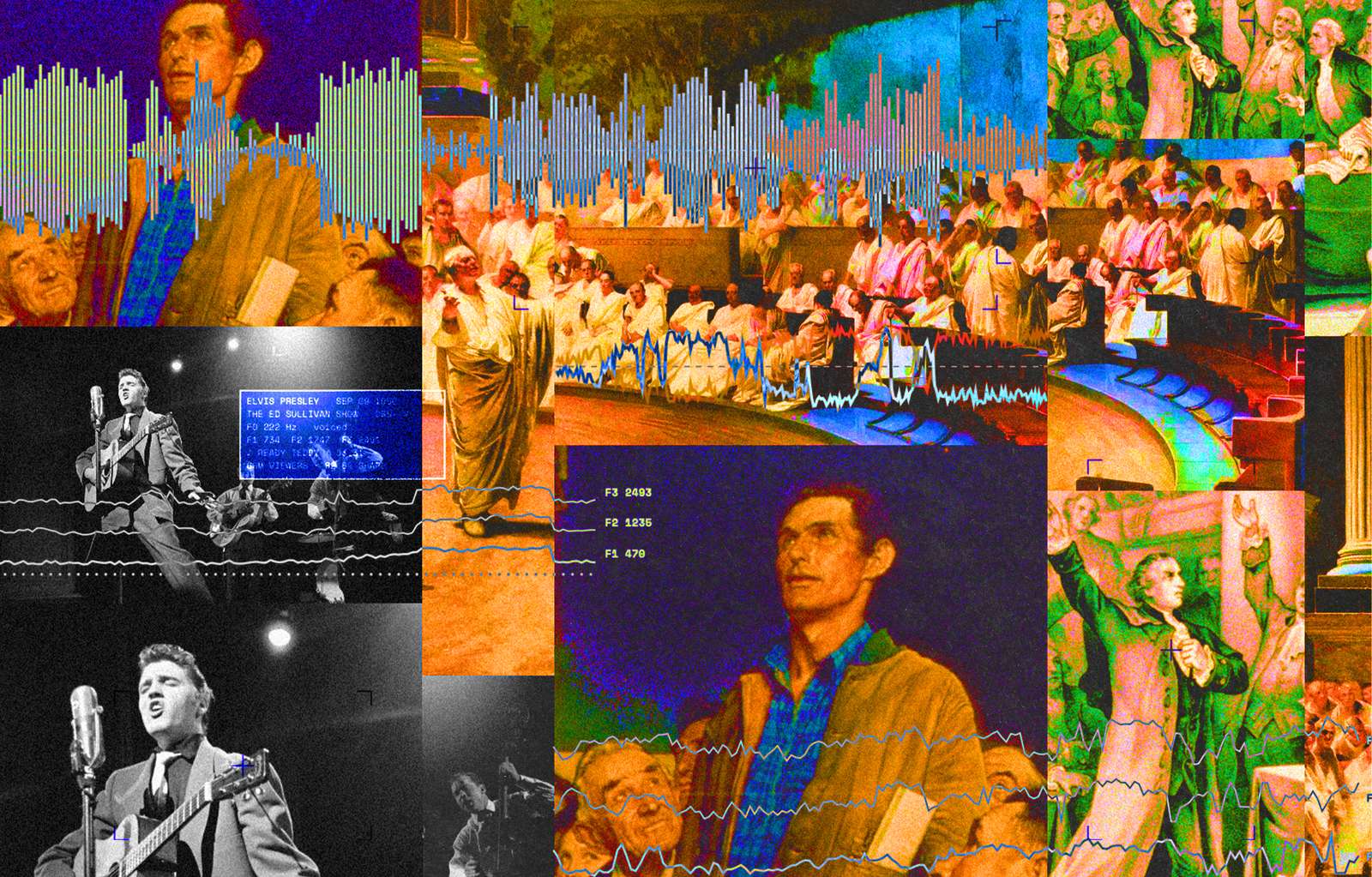

In the stone age, primitive humans wrote on clay tablets and carried memorized poems throughout generations. In the computer age, we, perhaps still primitive, write on laptops. To synthesize history and the future, we’re starting to talk to our computers, who will record our words and meanings forevermore.
Our computers are attaining new capabilities every minute. With the invention of the transformer, a neural network that learns by predicting what comes next in a sequence, the architecture behind systems like ChatGPT, our machines are gaining new capabilities: talking in natural language, reasoning beyond basic arithmetic, image generation. These skills are not just impacting what computers can do. Media theorist Marshall McLuhan, who spent his career arguing that novel technologies reshaped the people who used them, put it, “We shape our tools and thereafter our tools shape us.” This change happens along two axes: capabilities and interfaces. An interface is the layer through which a person interacts with a computer, issuing instructions and receiving information in return. The fact that new computer capabilities reshape us is taken for granted: search engines redrew the line between what we remember and what we look up; GPS made navigating through cities easier at the cost of learning the geography for ourselves. Interfaces like the keyboard, the mouse, the trackpad, and the desktop have defined the history of computing, and now voice – the most human of communication systems – will go from an accessibility tool, to one of the primary ways we communicate with computers.
When we think of using a computer, we usually think of dragging a mouse and pointing it at something on a screen, or typing on a keyboard and hitting ‘enter.’ Look down at your keyboard, a descendant of the typewriter, and look at the letter Q: the keys to the right of it spell out “QWERTY.” The “QWERTY” keyboard, as it came to be called, was invented by Christopher Latham Sholes, a newspaperman in Milwaukee who, through roughly fifty prototypes spanning from 1867 to 1873, helped build one of the first practical typewriters. Typewriters used to jam when neighboring keys were hit in quick succession, so Sholes separated the most common letter combinations — and QWERTY was born.
The punched card predates the keyboard by decades. Jacquard looms (named after their inventor, Joseph Marie Jacquard) used punch cards to store weaving patterns — each card encoded a pattern for the machine to weave, and changing the card changed the pattern of the textile. But it wasn’t until Herman Hollerith adapted the idea for the 1890 US census that cards became a way to feed data to a machine, each hole corresponding to a demographic category. It wasn’t until digital computers had a command line — a plain window with a blinking cursor where you type instructions and the computer prints back the results, as opposed to the GUI (graphical user interface) that lets you click around icons onscreen — that information exchange between man and machine had a tight feedback loop. But programmers still had to memorize text commands. In the late 1960s, the command DWIM (Do What I Mean) was introduced in the BBN Lisp programming environment as a way to correct mistyped commands rather than just erroring out. The idea later lived on in programmer culture through the text editor Emacs with commands like `comment-dwim,` where a single command adapts to what the user seems to intend, rather than stumbling through errors.
In December 1968, at Brooks Hall — an event space beneath Civic Center Plaza in San Francisco — one of the most important events in the history of computers took place, a 90-minute presentation retroactively titled “The Mother of All Demos.” Douglas Engelbart, a researcher at the Stanford Research Institute (SRI), introduced the world to the field of human-computer interaction and the fundamentals of what would become personal computing. The demo was the first public showing of windowing, hypertext, graphics, command input, video conferencing, the word processor, dynamic file linking, version control, and, most famous of all, the mouse. (Although Engelbart invented few of these himself; his achievement was fusing them into one live, interactive system.) Before the mouse, using a computer often meant working entirely through a keyboard and memorizing text commands. The mouse brought to computing the uniquely human experience of pointing — one of our earliest modes of communication. It got the name because the early device, with a cord trailing out the back, reminded Engelbart’s team of a mouse with a long tail.
Unlike the artificial arrangement of QWERTY, which the human had to adapt to, the mouse set the trend toward a more natural way of interacting with computers. The ape that once could only point was now pointing to move text, arrange windows, write programs and build.
The mouse let us point at a screen. The next leap, that of Steve Jobs, let us touch it. In 2007, he introduced the iPhone to the world: a phone with internet access and a set of “apps” you interacted with by touch. It was unlike other phones in that it had no physical keyboard — Jobs’ insight was that sometimes, you don’t want the keyboard, you want as much screen as your pocket can fit. The iPhone’s capacitive multi-touch screen replaced the stylus with the best pointing device we have: our finger. With a natural grammar — pinch to zoom, flick to scroll with momentum, lists that bounce at their edges as if the software had mass — Apple extended the human body’s instincts to the machine.
Underneath the glass of the first iPhone, the software was doing the work. The iPhone operating system (now called iOS but originally labeled as a mobile version of Apple’s desktop OS X called “OS X”) made the experience magical: touching a photo was like touching the photo itself. It was the purest expression of Jobs’ design creed — that using a computer should be so intuitive it needed no manual.
The iPhone’s victory looks obvious in retrospect, but for years it was not clear at all — phones kept iterating with mechanical keyboards that would flip, rotate, or otherwise stay fixed. What’s safe to say is that every smartphone since has been built in its image.
But touch only solved half of Jobs’ creed. A screen you point at is intuitive, but humans don’t communicate through touch alone. Humans most naturally communicate by speaking. In 2011, Apple introduced Siri, spun out of SRI, formerly the Stanford Research Institute, with its iPhone 4S. Siri was one of the first voice assistants most people had ever used, built on early natural language processing (NLP) and machine learning research. Revolutionary as it was — it was, after all, the first time many customers could talk to a machine and get an answer — talking to Siri was far from smooth. The assistant matched what you said against a fixed set of commands, like setting a timer or checking the weather. Outside of that, it directed users to web search. Its few agentic capabilities remain largely confined to select Apple apps, unable to (or unwilling to) translate across the digital ecosystem. The naturalness of communication wasn’t there because the AI wasn’t either.
For most of the history of personal computers, two general-purpose interfaces have dominated: typing and pointing. Engelbart demonstrated the second in 1968, and nearly every window, menu, icon, and touchscreen since has been an elaboration of the two. A third is now becoming practical at scale. It happens to be the oldest one we have: our voice.
For decades, researchers tried to teach computers to understand what human beings meant, not just the words they used. Early natural-language systems relied on hand-built dictionaries, grammars, and symbolic rules. Impressive within narrow domains, these systems broke down when language turned ambiguous, informal, or leaned on knowledge that had not been explicitly spelled out. Beginning in the late 1980s, researchers turned to statistical methods, replacing many human hand-written rules like ‘the word bank near river means a riverbank, not a lender’ and ‘the word bat after baseball means the wooden club, not the animal’ with patterns learned from large collections of text. This made language systems more flexible, but they were still built for particular tasks, and still depended on researchers deciding which features, labels, and representations mattered. The aperture had surely widened, but human language still had to be squeezed into a form computers could process. Gradually, researchers stopped trying to describe human language to computers and began training computers to learn its patterns for themselves. Neural networks learned from endless examples rather than explicit rules. Transformers, introduced in the 2017 paper “Attention Is All You Need,” let a model weigh how every word relates to every other word across long stretches of text — and because they processed those words at once rather than one after another, they could be trained on far more data. More data and more computing power scaled these systems into the LLMs we have today, trained on trillions of tokens (the industry measures training data in tokens, the pieces of words and punctuation models actually read; one token is about 0.75 words).
LLMs inverted the traditional approach. Instead of compressing language into a set of rules, they absorbed enormous quantities of text and learned to predict what comes next. Nobody had to write down the rules; the model inferred them from the examples it was given. At sufficient scale, predicting the next word becomes a surprisingly rich task. To predict language well, a model must learn something about the structures beneath it — facts, concepts, intentions, styles, even patterns of reasoning. What this produced was a machine that, as of now, seems to think — or at least can work with thought in something resembling human thinking. Every interface before it demanded that we humans compress our intent into something the computer could parse: the right command, the right button, the right query in the right box. An LLM demands far less. We can take tangents, issue restatements, blurt out half-formed thoughts, and the model will recover the intent running through all of it.
LLMs opened a new range of capabilities, but a parallel advance changed how we could interact with them. On September 21st, 2022, a couple months before the release of ChatGPT, OpenAI released Whisper, an automatic speech-recognition model that converts spoken language into text. Whisper was trained on 680,000 hours of multilingual and multitask supervised audio data collected from the web, making it unusually reliable across accents, background noise, technical language, and varied recording conditions. OpenAI also released the model weights and inference code under an open-source license, letting developers add transcription, subtitles, meeting notes, translation, and voice-controlled features without building a speech-recognition system from scratch. Whisper made accurate, general-purpose dictation practical enough to become an everyday interface. Alongside the development and widespread use of LLMs, programs like Whisper drove a broader shift toward natural language interfaces — letting people talk to machines the same way they talk to each other. That is, with voice.
Interfacing with computers through voice spans several modalities: voice-to-voice, voice-to-text, and voice-to-action. For any of them to work, the system must hear the words, understand how they were meant, know who said them, and decide when — and whether — to answer.
Whisper’s training helps explain why it generalized so well — or, in plain English, why it could accurately transcribe unfamiliar speakers, accents, subjects, and recording conditions without being specially retrained for each one. Its encoder-decoder transformer architecture was not itself radically new. The greater innovation was training a single model on an unusually large and varied collection of audio and several related speech tasks at once. The audio is divided into 30-second windows and converted into a spectrogram, a visual representation of its frequencies over time. The encoder turns that spectrogram into an internal representation of the sounds, while the decoder predicts the corresponding sequence of words. Special tokens tell the model which language and task it is handling, allowing the same system to identify languages, transcribe multilingual speech, produce timestamps, and translate speech into English.
But Whisper is still fundamentally a transcription system, and speech contains information that disappears the moment you turn it into text. The same sequence of words can signal enthusiasm, reluctance, irony, or anger depending on tone and context. Given “schedule it for Thursday — Friday, Friday” a useful voice interface must understand that Friday replaces Thursday, rather than treating both dates as equally valid instructions. That requires combining the transcript with timing, emphasis, pitch, volume, and pauses.
The voice-to-text tools that replace writing have a three-pronged optimization goal: speed, accuracy and reliability. Speed comes in two parts. Activation has to be almost instant, otherwise the system loses the user’s first words, and the transcription has to appear within fractions of a second, otherwise the tool becomes frustrating to use. Accuracy has improved steadily, but the last mile to get to 100% accuracy gets harder with every step. And this all has to work reliably — at any moment, across every app, without stray formatting or hiccups.
In conversations involving several people, a good voice-to-text system must also perform diarization: working out who spoke and when. This gets hard when people interrupt, talk over each other, speak simultaneously, move around a room, or switch between languages. Without it, a meeting assistant can capture every word and still assign decisions, opinions, and action items to the wrong people.
Live voice-to-voice conversation introduces another set of problems. Most voice systems have traditionally operated like walkie-talkies: the human speaks, stops, waits while the system transcribes, processes the request, and answers. Human conversation does not work this way. We listen while the other person is speaking, prepare our response before they finish, interrupt when we need to, and offer small acknowledgements along the way.
A full-duplex voice system can listen and speak at the same time, the foundation for conversational AI. It notices when the user interrupts, stops its own response immediately, and distinguishes an interruption from a simple “mm-hmm.” It must also know when to speak, and — harder still — when to interrupt. A pause might mean someone has finished, or only that they are searching for a word. Respond too early and the machine becomes irritating; respond too late and it feels slow. Solving this takes more than detecting silence: the system weighs the meaning of the sentence, its grammatical completeness, and acoustic signals such as cadence and intonation — which vary between person to person.
There is also currently a tension between conversational naturalness and intelligence. A fast model responds naturally but may answer before it has reasoned carefully; a more capable model may need seconds or longer to think, search, or use tools, making the experience less natural. One architecture some companies are trying separates the two: a fast conversational layer handling listening, interruptions, acknowledgements, and turn-taking, and a slower reasoning system running in parallel, called in only when a question requires deeper thought. OpenAI’s GPT-Live, for example, uses a full-duplex voice model to keep the conversation flowing while asynchronously delegating deeper reasoning, searches, and tool use to frontier models such as GPT-5.5. The challenge is to make the machine feel present without letting it speak before it has something worth saying.
Perfect transcription may never be possible in an absolute sense; even humans sometimes have to ask, “Did you say fifteen or fifty?” A word can be buried by noise, clipped by a microphone, or ambiguous without context; unfamiliar names can have several plausible spellings. The more useful objective, then, is not an infallible transcript but an interface that recognizes its own uncertainty — a good voice AI should know what it doesn’t know, and when. This is harder to build than it sounds.
Still, the reality is that writing is thinking, and typing won’t go away anytime soon. Crafting a sentence is how we sharpen our thoughts. Typing is like shooting a sniper rifle, very precise, with every keystroke, but it’s not always accurate. It requires skill to know exactly what to type next. Dictating, on the other hand, is like shooting a shotgun: it’s loose and imprecise, but it gets the whole thought out of you, tangents and restatements and all — and buried in that spray is your actual intent, which the machine can now parse out.
We will always have screens, as a picture is worth a thousand words. And there will always be room for the crisp and sharp thinking of typing. But we’re about to see a renaissance in the oldest medium we have, one left underexplored for generations: our voice. In ancient times, the oral tradition was never second-class to writing; it was considered elite. The Greek bards who carried a civilization’s knowledge of history, morality, and religion — Homer among them — wrote without writing at all, composing their epics live from a set toolbox of formulas and rhythms. As writing spread, it did not replace the oral tradition as much as introduce a new information bottleneck: literacy. The written word was restricted to a small class of trained specialists, scribes, who recorded, organized, copied, and preserved information on behalf of rulers and priesthoods. The printing press, and then the computer, broke the scribe’s monopoly.
This renaissance in voice-interfaces will come in many shapes: speaking to inject text into any app; systems that passively listen to a room and take notes or act on what they hear; friction stripped out of hundreds of workflows — the white-collar kind, like drafting an email, and the blue-collar kind, like tagging inventory on the factory floor. We’re about to see a proliferation of modalities, and I’m excited for every form factor this new era will bring. And even as our computers grow more intelligent and capable — at some point, we may someday be able to pass our thoughts to them straight from our brains — there will always be room for older forms of organizing our minds, of picking up a physical book, of grabbing a pen and putting our thoughts down on paper. But more and more, we’ll find ourselves reaching for a microphone, to think out loud and let the machine help us with some ideas.
Technology
•
Just Speak
For most of the history of personal computers, two general-purpose interfaces have dominated: typing and pointing. A third is now becoming practical at scale. It happens to be the oldest one we have: our voice.
In the stone age, primitive humans wrote on clay tablets and carried memorized poems throughout generations. In the computer age, we, perhaps still primitive, write on laptops. To synthesize history and the future, we’re starting to talk to our computers, who will record our words and meanings forevermore.
Our computers are attaining new capabilities every minute. With the invention of the transformer, a neural network that learns by predicting what comes next in a sequence, the architecture behind systems like ChatGPT, our machines are gaining new capabilities: talking in natural language, reasoning beyond basic arithmetic, image generation. These skills are not just impacting what computers can do. Media theorist Marshall McLuhan, who spent his career arguing that novel technologies reshaped the people who used them, put it, “We shape our tools and thereafter our tools shape us.” This change happens along two axes: capabilities and interfaces. An interface is the layer through which a person interacts with a computer, issuing instructions and receiving information in return. The fact that new computer capabilities reshape us is taken for granted: search engines redrew the line between what we remember and what we look up; GPS made navigating through cities easier at the cost of learning the geography for ourselves. Interfaces like the keyboard, the mouse, the trackpad, and the desktop have defined the history of computing, and now voice – the most human of communication systems – will go from an accessibility tool, to one of the primary ways we communicate with computers.
When we think of using a computer, we usually think of dragging a mouse and pointing it at something on a screen, or typing on a keyboard and hitting ‘enter.’ Look down at your keyboard, a descendant of the typewriter, and look at the letter Q: the keys to the right of it spell out “QWERTY.” The “QWERTY” keyboard, as it came to be called, was invented by Christopher Latham Sholes, a newspaperman in Milwaukee who, through roughly fifty prototypes spanning from 1867 to 1873, helped build one of the first practical typewriters. Typewriters used to jam when neighboring keys were hit in quick succession, so Sholes separated the most common letter combinations — and QWERTY was born.
The punched card predates the keyboard by decades. Jacquard looms (named after their inventor, Joseph Marie Jacquard) used punch cards to store weaving patterns — each card encoded a pattern for the machine to weave, and changing the card changed the pattern of the textile. But it wasn’t until Herman Hollerith adapted the idea for the 1890 US census that cards became a way to feed data to a machine, each hole corresponding to a demographic category. It wasn’t until digital computers had a command line — a plain window with a blinking cursor where you type instructions and the computer prints back the results, as opposed to the GUI (graphical user interface) that lets you click around icons onscreen — that information exchange between man and machine had a tight feedback loop. But programmers still had to memorize text commands. In the late 1960s, the command DWIM (Do What I Mean) was introduced in the BBN Lisp programming environment as a way to correct mistyped commands rather than just erroring out. The idea later lived on in programmer culture through the text editor Emacs with commands like `comment-dwim,` where a single command adapts to what the user seems to intend, rather than stumbling through errors.
In December 1968, at Brooks Hall — an event space beneath Civic Center Plaza in San Francisco — one of the most important events in the history of computers took place, a 90-minute presentation retroactively titled “The Mother of All Demos.” Douglas Engelbart, a researcher at the Stanford Research Institute (SRI), introduced the world to the field of human-computer interaction and the fundamentals of what would become personal computing. The demo was the first public showing of windowing, hypertext, graphics, command input, video conferencing, the word processor, dynamic file linking, version control, and, most famous of all, the mouse. (Although Engelbart invented few of these himself; his achievement was fusing them into one live, interactive system.) Before the mouse, using a computer often meant working entirely through a keyboard and memorizing text commands. The mouse brought to computing the uniquely human experience of pointing — one of our earliest modes of communication. It got the name because the early device, with a cord trailing out the back, reminded Engelbart’s team of a mouse with a long tail.
Unlike the artificial arrangement of QWERTY, which the human had to adapt to, the mouse set the trend toward a more natural way of interacting with computers. The ape that once could only point was now pointing to move text, arrange windows, write programs and build.
The mouse let us point at a screen. The next leap, that of Steve Jobs, let us touch it. In 2007, he introduced the iPhone to the world: a phone with internet access and a set of “apps” you interacted with by touch. It was unlike other phones in that it had no physical keyboard — Jobs’ insight was that sometimes, you don’t want the keyboard, you want as much screen as your pocket can fit. The iPhone’s capacitive multi-touch screen replaced the stylus with the best pointing device we have: our finger. With a natural grammar — pinch to zoom, flick to scroll with momentum, lists that bounce at their edges as if the software had mass — Apple extended the human body’s instincts to the machine.
Underneath the glass of the first iPhone, the software was doing the work. The iPhone operating system (now called iOS but originally labeled as a mobile version of Apple’s desktop OS X called “OS X”) made the experience magical: touching a photo was like touching the photo itself. It was the purest expression of Jobs’ design creed — that using a computer should be so intuitive it needed no manual.
The iPhone’s victory looks obvious in retrospect, but for years it was not clear at all — phones kept iterating with mechanical keyboards that would flip, rotate, or otherwise stay fixed. What’s safe to say is that every smartphone since has been built in its image.
But touch only solved half of Jobs’ creed. A screen you point at is intuitive, but humans don’t communicate through touch alone. Humans most naturally communicate by speaking. In 2011, Apple introduced Siri, spun out of SRI, formerly the Stanford Research Institute, with its iPhone 4S. Siri was one of the first voice assistants most people had ever used, built on early natural language processing (NLP) and machine learning research. Revolutionary as it was — it was, after all, the first time many customers could talk to a machine and get an answer — talking to Siri was far from smooth. The assistant matched what you said against a fixed set of commands, like setting a timer or checking the weather. Outside of that, it directed users to web search. Its few agentic capabilities remain largely confined to select Apple apps, unable to (or unwilling to) translate across the digital ecosystem. The naturalness of communication wasn’t there because the AI wasn’t either.
For most of the history of personal computers, two general-purpose interfaces have dominated: typing and pointing. Engelbart demonstrated the second in 1968, and nearly every window, menu, icon, and touchscreen since has been an elaboration of the two. A third is now becoming practical at scale. It happens to be the oldest one we have: our voice.
For decades, researchers tried to teach computers to understand what human beings meant, not just the words they used. Early natural-language systems relied on hand-built dictionaries, grammars, and symbolic rules. Impressive within narrow domains, these systems broke down when language turned ambiguous, informal, or leaned on knowledge that had not been explicitly spelled out. Beginning in the late 1980s, researchers turned to statistical methods, replacing many human hand-written rules like ‘the word bank near river means a riverbank, not a lender’ and ‘the word bat after baseball means the wooden club, not the animal’ with patterns learned from large collections of text. This made language systems more flexible, but they were still built for particular tasks, and still depended on researchers deciding which features, labels, and representations mattered. The aperture had surely widened, but human language still had to be squeezed into a form computers could process. Gradually, researchers stopped trying to describe human language to computers and began training computers to learn its patterns for themselves. Neural networks learned from endless examples rather than explicit rules. Transformers, introduced in the 2017 paper “Attention Is All You Need,” let a model weigh how every word relates to every other word across long stretches of text — and because they processed those words at once rather than one after another, they could be trained on far more data. More data and more computing power scaled these systems into the LLMs we have today, trained on trillions of tokens (the industry measures training data in tokens, the pieces of words and punctuation models actually read; one token is about 0.75 words).
LLMs inverted the traditional approach. Instead of compressing language into a set of rules, they absorbed enormous quantities of text and learned to predict what comes next. Nobody had to write down the rules; the model inferred them from the examples it was given. At sufficient scale, predicting the next word becomes a surprisingly rich task. To predict language well, a model must learn something about the structures beneath it — facts, concepts, intentions, styles, even patterns of reasoning. What this produced was a machine that, as of now, seems to think — or at least can work with thought in something resembling human thinking. Every interface before it demanded that we humans compress our intent into something the computer could parse: the right command, the right button, the right query in the right box. An LLM demands far less. We can take tangents, issue restatements, blurt out half-formed thoughts, and the model will recover the intent running through all of it.
LLMs opened a new range of capabilities, but a parallel advance changed how we could interact with them. On September 21st, 2022, a couple months before the release of ChatGPT, OpenAI released Whisper, an automatic speech-recognition model that converts spoken language into text. Whisper was trained on 680,000 hours of multilingual and multitask supervised audio data collected from the web, making it unusually reliable across accents, background noise, technical language, and varied recording conditions. OpenAI also released the model weights and inference code under an open-source license, letting developers add transcription, subtitles, meeting notes, translation, and voice-controlled features without building a speech-recognition system from scratch. Whisper made accurate, general-purpose dictation practical enough to become an everyday interface. Alongside the development and widespread use of LLMs, programs like Whisper drove a broader shift toward natural language interfaces — letting people talk to machines the same way they talk to each other. That is, with voice.
Interfacing with computers through voice spans several modalities: voice-to-voice, voice-to-text, and voice-to-action. For any of them to work, the system must hear the words, understand how they were meant, know who said them, and decide when — and whether — to answer.
Whisper’s training helps explain why it generalized so well — or, in plain English, why it could accurately transcribe unfamiliar speakers, accents, subjects, and recording conditions without being specially retrained for each one. Its encoder-decoder transformer architecture was not itself radically new. The greater innovation was training a single model on an unusually large and varied collection of audio and several related speech tasks at once. The audio is divided into 30-second windows and converted into a spectrogram, a visual representation of its frequencies over time. The encoder turns that spectrogram into an internal representation of the sounds, while the decoder predicts the corresponding sequence of words. Special tokens tell the model which language and task it is handling, allowing the same system to identify languages, transcribe multilingual speech, produce timestamps, and translate speech into English.
But Whisper is still fundamentally a transcription system, and speech contains information that disappears the moment you turn it into text. The same sequence of words can signal enthusiasm, reluctance, irony, or anger depending on tone and context. Given “schedule it for Thursday — Friday, Friday” a useful voice interface must understand that Friday replaces Thursday, rather than treating both dates as equally valid instructions. That requires combining the transcript with timing, emphasis, pitch, volume, and pauses.
The voice-to-text tools that replace writing have a three-pronged optimization goal: speed, accuracy and reliability. Speed comes in two parts. Activation has to be almost instant, otherwise the system loses the user’s first words, and the transcription has to appear within fractions of a second, otherwise the tool becomes frustrating to use. Accuracy has improved steadily, but the last mile to get to 100% accuracy gets harder with every step. And this all has to work reliably — at any moment, across every app, without stray formatting or hiccups.
In conversations involving several people, a good voice-to-text system must also perform diarization: working out who spoke and when. This gets hard when people interrupt, talk over each other, speak simultaneously, move around a room, or switch between languages. Without it, a meeting assistant can capture every word and still assign decisions, opinions, and action items to the wrong people.
Live voice-to-voice conversation introduces another set of problems. Most voice systems have traditionally operated like walkie-talkies: the human speaks, stops, waits while the system transcribes, processes the request, and answers. Human conversation does not work this way. We listen while the other person is speaking, prepare our response before they finish, interrupt when we need to, and offer small acknowledgements along the way.
A full-duplex voice system can listen and speak at the same time, the foundation for conversational AI. It notices when the user interrupts, stops its own response immediately, and distinguishes an interruption from a simple “mm-hmm.” It must also know when to speak, and — harder still — when to interrupt. A pause might mean someone has finished, or only that they are searching for a word. Respond too early and the machine becomes irritating; respond too late and it feels slow. Solving this takes more than detecting silence: the system weighs the meaning of the sentence, its grammatical completeness, and acoustic signals such as cadence and intonation — which vary between person to person.
There is also currently a tension between conversational naturalness and intelligence. A fast model responds naturally but may answer before it has reasoned carefully; a more capable model may need seconds or longer to think, search, or use tools, making the experience less natural. One architecture some companies are trying separates the two: a fast conversational layer handling listening, interruptions, acknowledgements, and turn-taking, and a slower reasoning system running in parallel, called in only when a question requires deeper thought. OpenAI’s GPT-Live, for example, uses a full-duplex voice model to keep the conversation flowing while asynchronously delegating deeper reasoning, searches, and tool use to frontier models such as GPT-5.5. The challenge is to make the machine feel present without letting it speak before it has something worth saying.
Perfect transcription may never be possible in an absolute sense; even humans sometimes have to ask, “Did you say fifteen or fifty?” A word can be buried by noise, clipped by a microphone, or ambiguous without context; unfamiliar names can have several plausible spellings. The more useful objective, then, is not an infallible transcript but an interface that recognizes its own uncertainty — a good voice AI should know what it doesn’t know, and when. This is harder to build than it sounds.
Still, the reality is that writing is thinking, and typing won’t go away anytime soon. Crafting a sentence is how we sharpen our thoughts. Typing is like shooting a sniper rifle, very precise, with every keystroke, but it’s not always accurate. It requires skill to know exactly what to type next. Dictating, on the other hand, is like shooting a shotgun: it’s loose and imprecise, but it gets the whole thought out of you, tangents and restatements and all — and buried in that spray is your actual intent, which the machine can now parse out.
We will always have screens, as a picture is worth a thousand words. And there will always be room for the crisp and sharp thinking of typing. But we’re about to see a renaissance in the oldest medium we have, one left underexplored for generations: our voice. In ancient times, the oral tradition was never second-class to writing; it was considered elite. The Greek bards who carried a civilization’s knowledge of history, morality, and religion — Homer among them — wrote without writing at all, composing their epics live from a set toolbox of formulas and rhythms. As writing spread, it did not replace the oral tradition as much as introduce a new information bottleneck: literacy. The written word was restricted to a small class of trained specialists, scribes, who recorded, organized, copied, and preserved information on behalf of rulers and priesthoods. The printing press, and then the computer, broke the scribe’s monopoly.
This renaissance in voice-interfaces will come in many shapes: speaking to inject text into any app; systems that passively listen to a room and take notes or act on what they hear; friction stripped out of hundreds of workflows — the white-collar kind, like drafting an email, and the blue-collar kind, like tagging inventory on the factory floor. We’re about to see a proliferation of modalities, and I’m excited for every form factor this new era will bring. And even as our computers grow more intelligent and capable — at some point, we may someday be able to pass our thoughts to them straight from our brains — there will always be room for older forms of organizing our minds, of picking up a physical book, of grabbing a pen and putting our thoughts down on paper. But more and more, we’ll find ourselves reaching for a microphone, to think out loud and let the machine help us with some ideas.
About the Author
Pablo Antonio Peniche is the first employee of Aqua Voice, an artificial intelligence startup in New York. He can be found on X at: @PabloAntonio